
Have you been contemplating making the switch to the AccessPort v3 and trading in your AccessPort v2? Or thinking about making the switch from a different tuner? Let's show you some of the highlights and features of the V3.
Highlights:
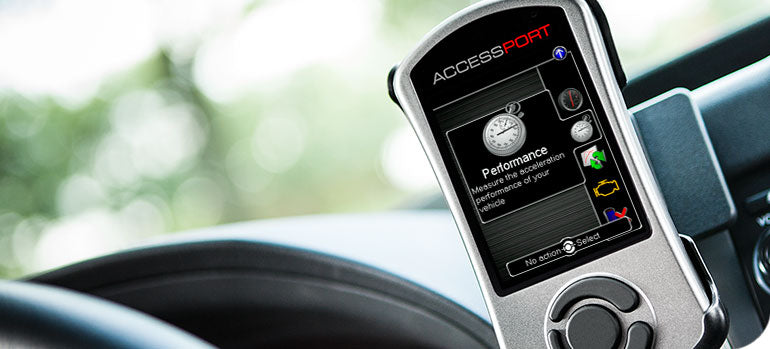
We super sized the screen for ease of use and better monitoring. Full text help menus, multi-gauge layouts, full map descriptions and more. This screen has room to spare - so no need to run back to your laptop
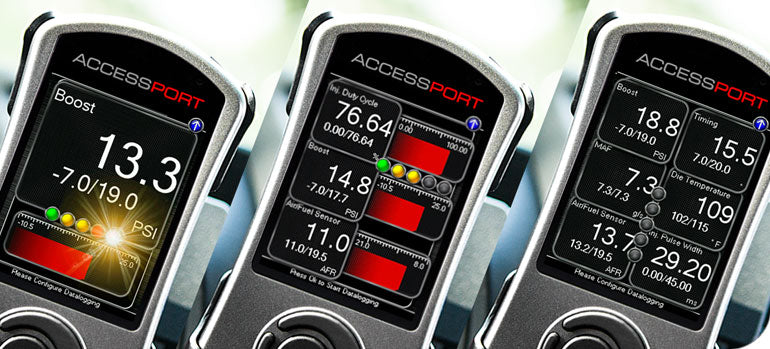
Want gauges? No problem. The V3 now supports up to 6 fully customizable gauges with 1/1000 resolution. Monitor all the parameters you want to see and customize each layout for street, strip or track.

There is nothing we like more to see than an AP peeking over the dash. With the on/off button and using the included universal mount or vehicle specific options, there is no reason not to run your AP in-vehicle.

We listened to what you wanted. Use your same maps, monitor your same parameters, and troubleshoot your same codes, but now with more. More speed, more memory, more map storage, more live gauges, and more troubleshooting help.

Is it your Accessport or our Accessport? It's yours. Customize it as you see fit. The new V3 comes with 2 interchangeable bezels, blue and grey, or put your own touches on one. Our favorite is the chrome one installed in our GT-R.
Now let's move on to the features!
V3 Features:

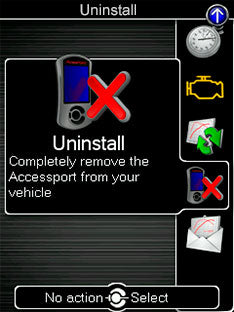 Simple Uninstall: Revert your ECU to exactly as it was before with the easy to use Uninstall option from the main menu.
 Trouble Codes: Read engine trouble codes to diagnose issues. Clear them when resolved. Prevent expensive trips to the dealership.
 Change Maps: Store up to 100 maps from our OTS map database or from your favorite COBB tuner and quickly switch between them for any need.
 Gauges – Use your Accessport as a gauge to monitor boost or any other live information, directly from the ECU.
 Data Logging: Record multiple data channels simultaneously for in-depth evaluation of engine performance. Stores up to 10 hours.
 Performance Measuring: Welcome to your own performance evaluation suite! Measure 0-60 mph time, 60 foot and ¼ mile ET’s. and Trap Speed.
 Shift Light: Set custom RPM warning lights for perfect shifts every time.
 AP Manager: Use your PC or Mac to manage maps, download recorded datalogs, or quickly update your Accessport. Download free from right HERE.
Tuning: Ultimate Flexibility

Accessport V2 to V3 Trade in Program
For a limited time, exclusively through COBB, trade in your Version 2 Accessport for 50% off a brand new Accessport V3. Join the big screen, mountable, 6-monitor revolution of in-cabin tuning.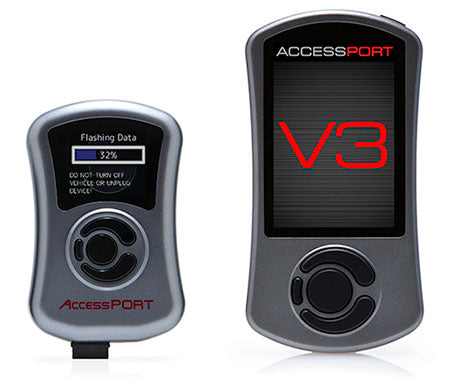 Instructions:
- Purchase a new upgrade eligible V3 Accessport for your application here.
- Once your new product arrives, follow the included instructions to Uninstall (un-marry) your current Accessport from your vehicle.
- Please make sure to back up all of your maps with Accessport Manager.
- Pack all V2 components in your V3 box or similar sized package and ship it back to us!
- Use the return shipping label included with your V3 to send the V2 back to Cobb Tuning.
Comments (2)
I got a v3 access port and upgraded from a bmw N54 to a N55 now what do i Do.
Regards
Hi I’ve been looking at the mountains 215 upgrade for my fiesta st I’ve noticed it’s looks the same as yours is it the or are they different I have my own 2wd Dyno and need to get into modern tuning methods what sort of deals and packages do you do and what cost are involved many thanks Chris pool